
Subscription & billing
Pricing Model
SendStreak uses a simple, volume-based pricing model with no per-contact fees. Your costs depend only on how many emails you send - not how many contacts you have.
- Free plan: Send up to 100 emails per day at no cost. This includes full access to all features - templates, automations, announcements, team management, and the API.
- Pay-As-You-Go plan: €2 per 10,000 emails (excl. VAT). No monthly minimums, no tiers, no hidden fees.
Unlike traditional email platforms that charge based on contact list size or lock features behind premium tiers, SendStreak charges only for what you send. Your audience can grow without increasing your bill.
Managing Your Subscription
To manage your subscription, go to Settings → Subscription and usage.
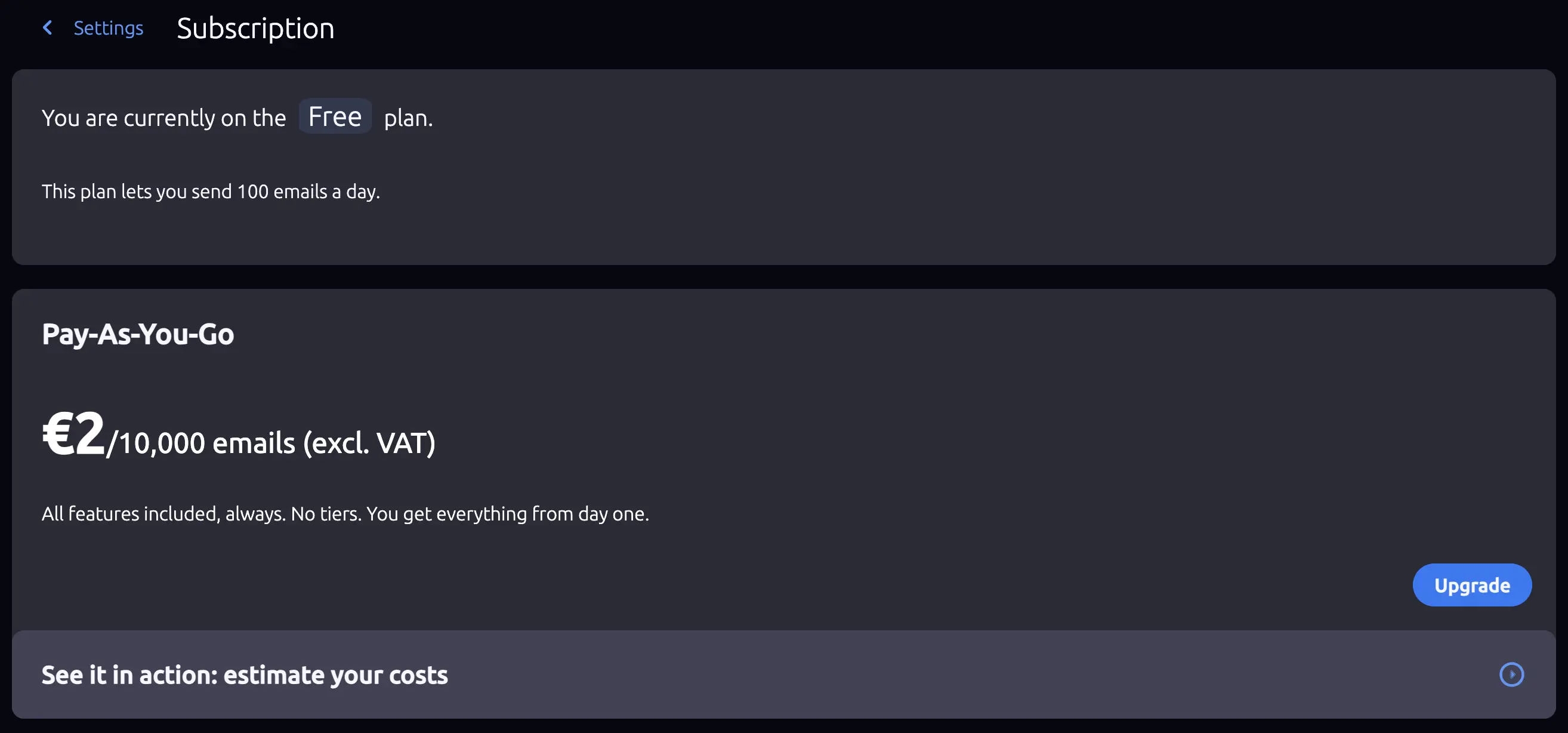
From this screen you can:
- View your current plan and usage
- Upgrade from the Free plan to Pay-As-You-Go
- Manage your subscription (update payment method, view invoices, cancel) - only available on the Pay-As-You-Go plan
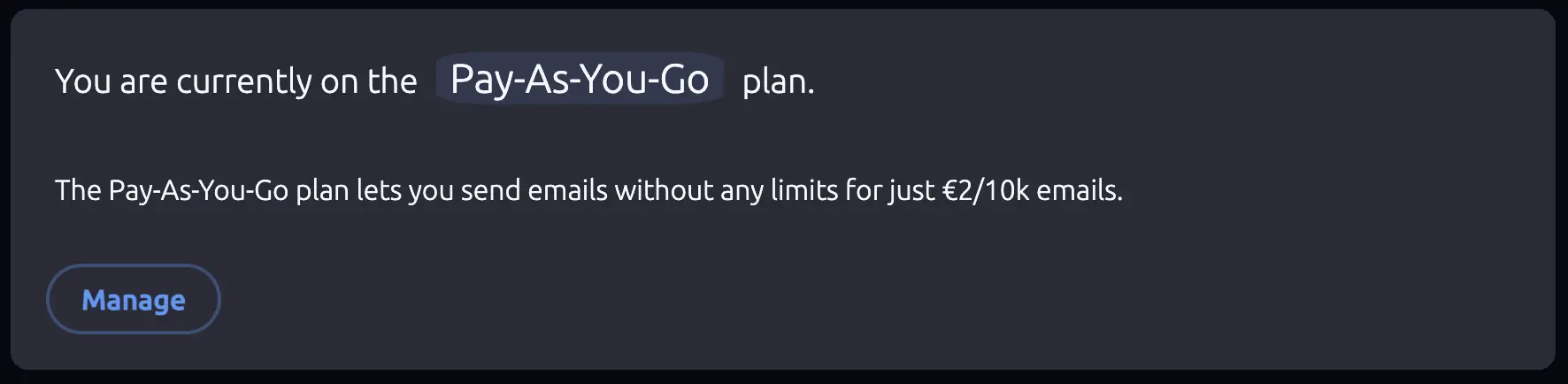
Subscription management and payments are handled securely through Paddle, a Merchant of Record. Clicking Manage opens the Paddle customer portal where you can update your billing details and review past invoices.
Pricing Calculator
The subscription screen includes a built-in pricing calculator that lets you estimate your monthly costs and compare them against other email providers. The same calculator is also available on the public Pricing page - no account required.
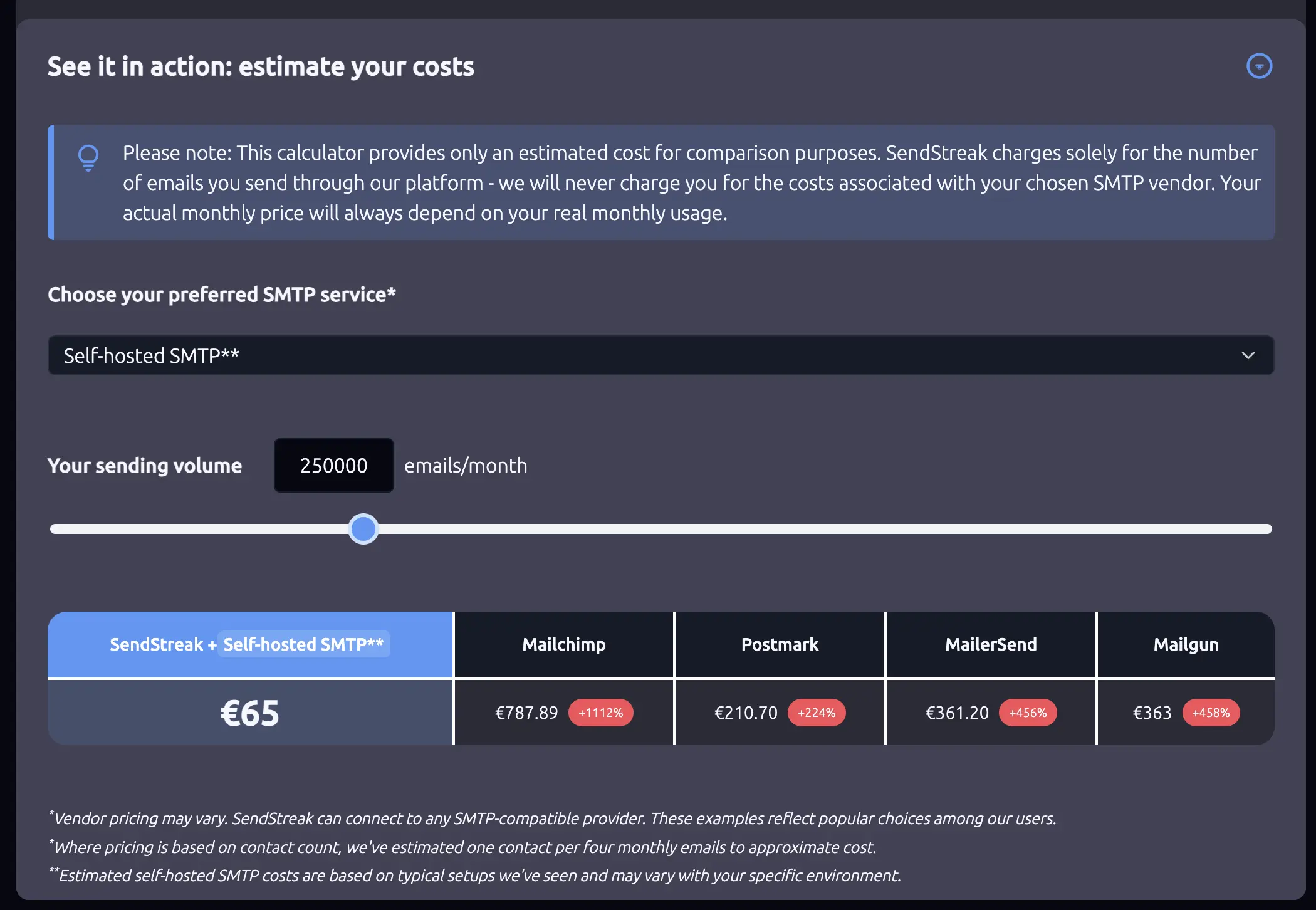
To use the calculator:
- Set your expected monthly email volume using the slider (up to 1,000,000 emails per month).
- Select your SMTP vendor from the dropdown (AWS SES, Maileroo, or Self-hosted SMTP).
- Review the comparison table showing your total SendStreak cost (platform fee + vendor cost) alongside equivalent pricing from Mailchimp, Postmark, MailerSend, and Mailgun.
Try SendStreak for Free now!With SendStreak’s bring-your-own-server model, your total cost is the SendStreak platform fee plus whatever your SMTP provider charges. The calculator factors in both to give you an accurate comparison. Learn more about connecting email servers in the Email servers documentation.