Authentication
The v2 API authenticates with personal access tokens. A token belongs to a user (not to a workspace) and is passed as a bearer token on every request:
curl --location 'https://api.sendstreak.com/v2/users/me' \
--header 'Authorization: Bearer sst_pat_YOUR_TOKEN'
The v1 workspace API key does not work on v2 endpoints. It keeps working for the legacy v1 API, but v2 requests need a personal access token.
Creating a token
Go to Settings → API tokens on the SendStreak dashboard. Under Create a token, pick a name and an expiry (30, 60, or 90 days - or no expiry) and click Generate token.
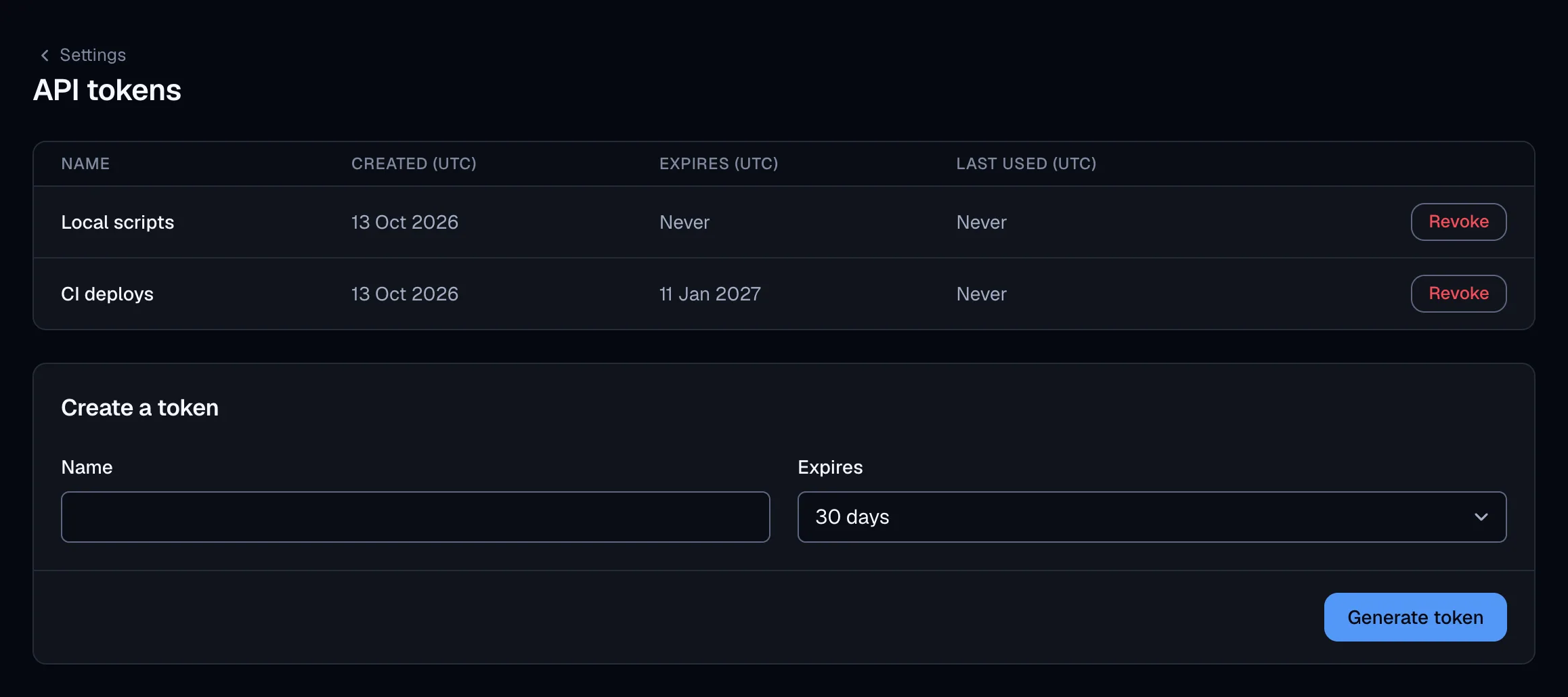
The raw token value (prefixed sst_pat_) is shown exactly once, right after creation. Store it in an environment variable or a secrets manager - it cannot be retrieved again, only revoked. Never embed it in client-side code or public repositories.
Tokens can also be managed through the API itself: issue, list, and revoke them under /users/me/tokens.
Account scoping
Nearly every v2 path starts with /accounts/{accountId}/. A token can act on every account (workspace) its owner is a member of - and nothing else. Requests to an account the token’s owner does not belong to fail with 401.
Copy it from Settings → Account details on the dashboard, where it appears as Account ID. It is not part of any dashboard URL, so do not try to read it out of the address bar. To look it up programmatically, call List the current user’s accounts:
curl --location 'https://api.sendstreak.com/v2/users/me/accounts' \
--header 'Authorization: Bearer sst_pat_YOUR_TOKEN'
The _id of each returned account is the value to use in the path. It is a 24-character hexadecimal string, for example 664b9e0f2a7c330011cd56ef.
Do not use the value from Settings → API key as an account id. That screen shows the v1 workspace API key, which is a longer base64 string that happens to encode the account id inside it. It is a credential, not an identifier - v2 rejects it as a token, and it fails as an account id too.
Revoking a token
Revoke a token from the same dashboard screen, or with Revoke a personal access token. Revocation takes effect within a few seconds - tokens are verified through a short-lived server-side cache, so a just-revoked token can be accepted for up to 15 more seconds before requests start failing with 401. If a token leaks, revoke it and create a new one - tokens are independent, so other tokens keep working.